Getting started as a buyer
Sign in to the lead portal and read your dashboard — what each number means and where to find your leads.
Your lead provider gave you an email, a password and a link. Open the link, sign in, and you land on your dashboard. Nothing to install, nothing to configure.
The address is either your provider's own domain, or the shared portal.leadmove.io. On their own domain the sign-in page carries their name and logo from the start — the portal is their workspace, not a third-party tool you have to recognise.
The portal is read-only: it shows the leads your provider delivered to you, and lets you contest the ones you shouldn't have been charged for. It never asks you for payment details, and shows prices only if your provider chose to share them.
Getting around
Three sections in the top bar:
| Section | What's in it |
|---|---|
| Dashboard | Your current billing cycle at a glance. |
| Leads | Every lead delivered to you, with filters and CSV export. See Your leads. |
| Disputes | The disputes you raised and their outcome. See Opening a dispute. |
Your name sits at the far right. The menu behind it holds Profile, a light / dark mode switch, and Sign out. On a phone, the same links live behind the menu button.
Reading the dashboard
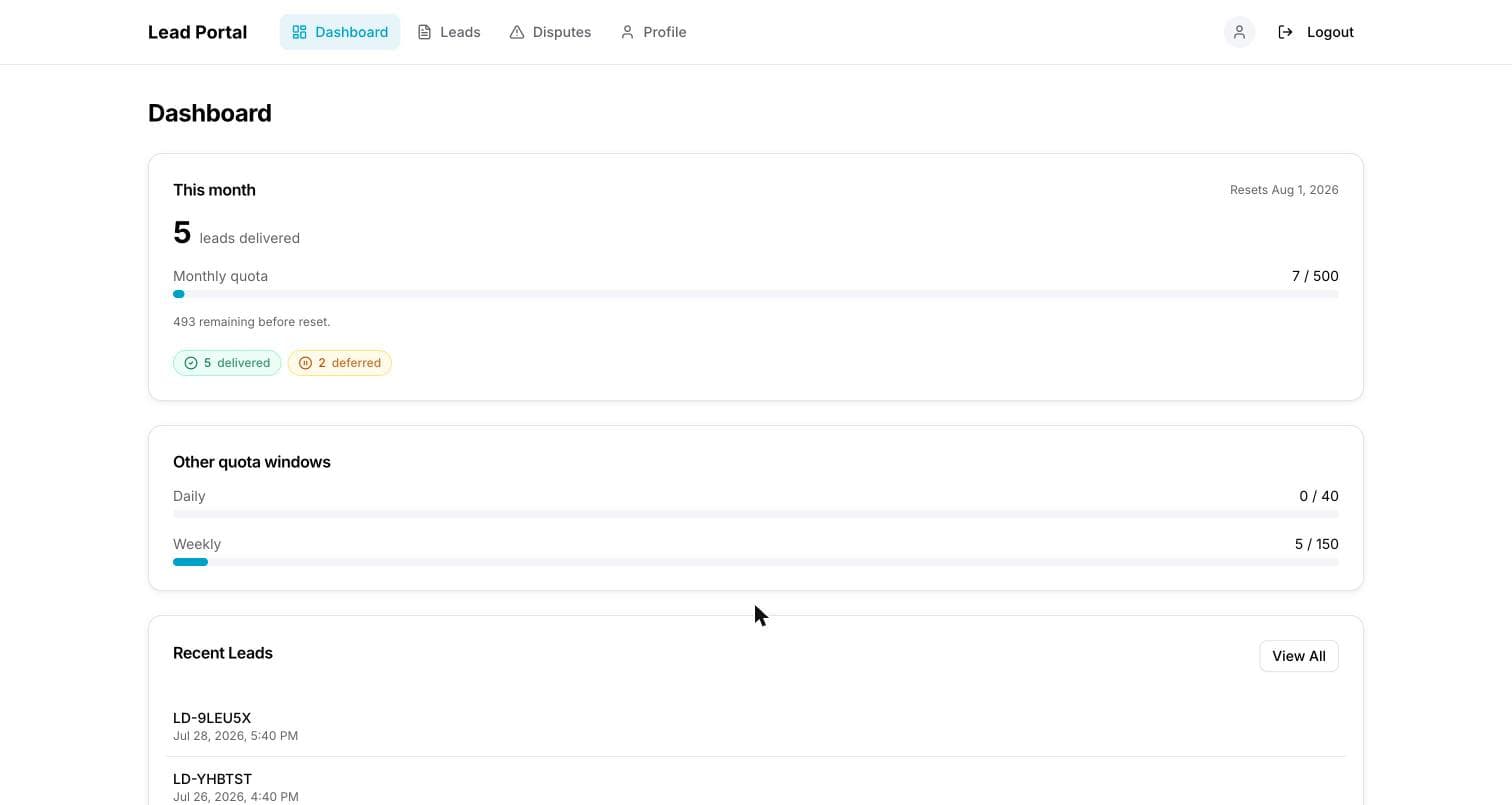
Four cards across the top, counted over your current cycle:
| Card | What it counts |
|---|---|
| Delivered | Reached your endpoint or inbox and was confirmed. |
| On the way | In flight, plus anything held for your next open window. |
| Failed | Refused by your endpoint, or still being retried. |
| Open disputes | Yours, waiting on your provider's decision. |
They stay on screen at zero on purpose: "did any of my leads fail?" needs an answer when the answer is none.
If your provider shows prices, Your spend sits right under the cards: what your delivered leads cost today, this week and this month, counted over the same windows as your quotas. Leads credited back after an accepted dispute aren't counted.
Under that, This cycle names the window it counts — This cycle · Aug 16 – Sep 15 — and the date it rolls over. Providers often line it up with your billing date, so the number matches the period you're invoiced for. If your provider set a monthly cap, a bar shows how much you've used and how many leads are left; daily and weekly bars appear only if you also have those caps.
Caps are counted in your timezone, the one your provider set for you. Your day starts at midnight there, not at midnight UTC. The quota bar can run ahead of the delivered count: it counts every lead assigned to you, held ones included.
Leads delivered charts your last 30 days, one bar per day — hover a bar for its exact count. The figure beside it is the 30-day total, with the last 7 days compared against the 7 before.
Compensation credits appears only when you have some: bonus leads you're owed, delivered free on top of your quota. Accepted disputes land here.
Latest leads links straight into the last leads you received.
Your profile
Behind your name in the top right. Four sections:
- Account — name, sign-in email and status. Managed by your provider.
- Quotas & usage — your daily, weekly and monthly usage against your limits, each with the window it's counted over.
Unlimitedmeans no cap on that window. - Delivery hours — your own schedule, day by day, in your timezone, and what happens to leads that arrive outside it: held until you reopen, or passed to another buyer. This is why a lead can show as Deferred.
- Password — change it yourself. Changing it signs you out on every other device.
Your provider decides which of these the portal shows, so you may not see all four.
Everything except your password is managed by your provider. Ask them to change a quota, your email or your delivery hours.
Common questions
I want to change my password. Profile → Password. You need your current one.
I forgot my password. Ask your provider to reset it. There's no reset link — the portal can't email you, so only they can set a new one. You can change it yourself afterwards.
Why does a lead say "deferred"? It arrived while you were closed, and your account is set to hold leads rather than pass them on. It's delivered automatically when you reopen — nothing is lost.
My monthly count doesn't match my CRM. The dashboard counts what left the platform toward you. If a lead never reached your CRM, check its status in Leads: failed and deferred leads are counted separately from delivered ones.
Can I get the raw data out? Yes — CSV export on the Leads page.